See where your money goes, one receipt at a time.
Take a photo of a receipt. Fineibo reads every item and sorts it into four groups, so each month you can see what you really spend on. Share it with the people you live with.
- Needs
- Wants
- Culture
- Unexpected
- Free to use
- No bank login
- iPhone and Android
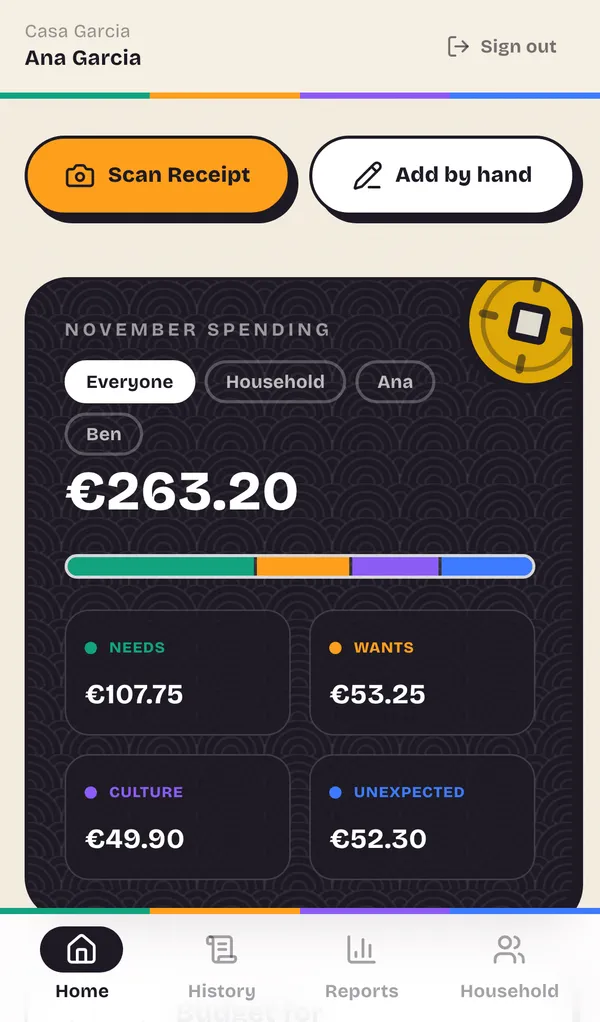
Every purchase goes into one of four groups
This is kakeibo, a Japanese way of budgeting from 1904. Fineibo suggests the group for each item, and you can always change it.
Needs
The things you can't skip.
Ask yourself: Could I live without it?
- Groceries
- Rent and bills
- Bus pass
Wants
Nice to have, not essential.
Ask yourself: Did it make me happy?
- Takeaways
- Treats and snacks
- New trainers
Culture
Things that feed your mind.
Ask yourself: Did it feed my mind?
- Books
- Cinema and gigs
- Classes
Unexpected
The costs you didn't plan for.
Ask yourself: Did I see it coming?
- The vet
- A flat tyre
- Medicine
How it works
From receipt to a clear picture of your month in about a minute.
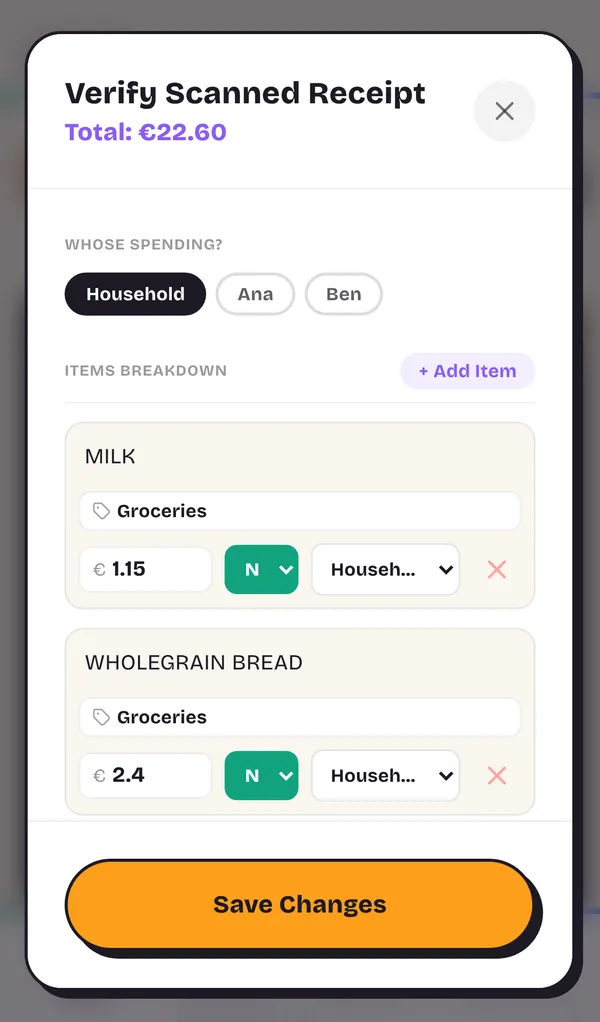
Snap a receipt
Take a photo and Fineibo reads every line. Each item gets a group and a label. Check it, fix anything, and save.
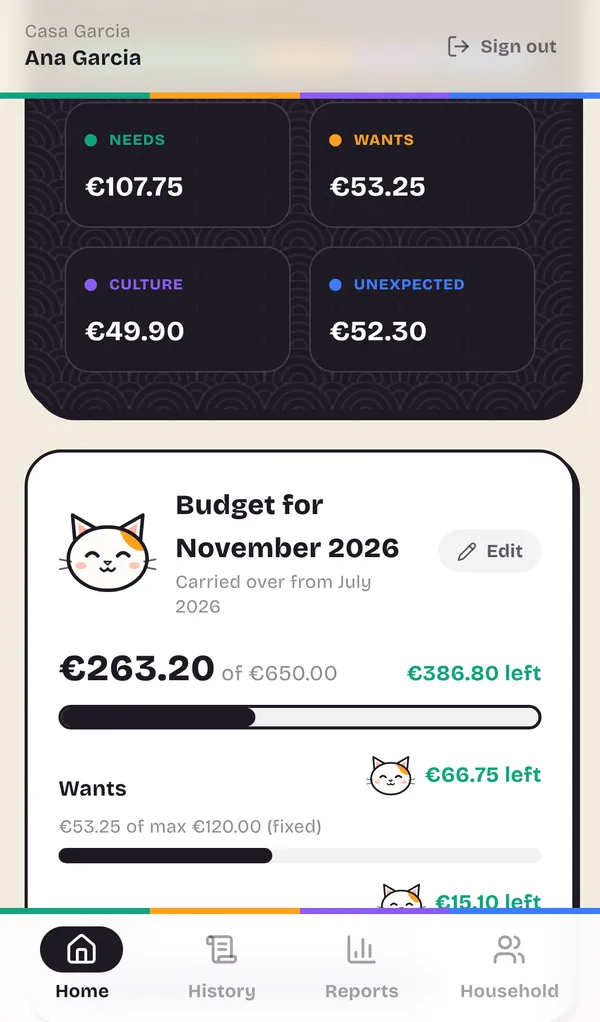
See your month
Your home screen shows what you spent this month in each group, and how close you are to your budget.
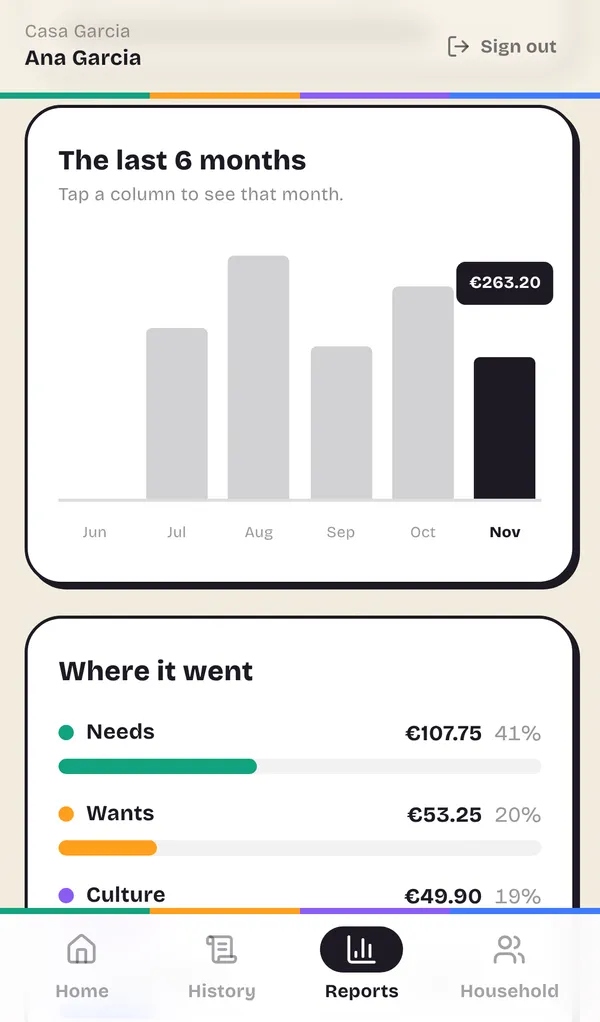
Spot the patterns
Reports show the last six months and where the money went: by group, by label and by item.
Everything you get
Shared with your home
Invite a partner, flatmates or family with a link. Everyone adds receipts, everyone sees the same totals.
Learns your habits
Move an item to another group once, and Fineibo remembers it next time.
Budgets with a cat
Set a monthly budget and caps for wants and culture. The lucky cat's mood shows how you're doing.
Labels for detail
Items also get labels like Groceries or Eating out, so you can see exactly where the money went.
You have the last word
Edit any receipt later, or add a purchase by hand when there's no receipt.
Private by design
No bank connection. Only the people you invite can see your household's spending.
Install it on your phone
Fineibo is a web app, so there's nothing to download from an app store. Add it to your home screen once and it opens full screen, like any other app.
iPhone and iPad
Using Safari
- Open this page in Safari.
- Tap the Share button in the toolbar.
- Scroll down and tap Add to Home Screen .
- Tap Add. Fineibo is now on your home screen.
Android
Using Chrome
- Open this page in Chrome.
- Tap the menu in the top right corner.
- Tap Install app or Add to Home screen .
- Tap Install. Fineibo is now with your other apps.
Then open Fineibo from your home screen and sign in with Google.
Start with your next receipt.
Sign in with Google, create your household, and see your first sorted receipt in under a minute.
Start for free